
Download Kraken Stress Testing Toolkit – Security Information and Event Management, Load Testing, SIEM Simulation
Overview
The Kraken Stress Testing Toolkit is a specialized mobile application designed for professionals engaged in cybersecurity operations, particularly those responsible for validating the performance and reliability of Security Information and Event Management (SIEM) systems. Its primary purpose is to simulate realistic event loads, enabling users to assess how SIEM platforms, event collectors, and individual modules respond under stress. This functionality is critical for organizations aiming to maintain robust security monitoring capabilities in high-volume environments.
The app targets cybersecurity engineers, security analysts, and IT infrastructure teams tasked with ensuring system resilience before deployment or during routine audits. By generating event data that mimics real-world sources such as firewalls, endpoints, and network devices, Kraken helps identify potential bottlenecks, latency issues, or failure points in security workflows. This proactive testing supports stronger incident response readiness and compliance with security standards.
Developed by a specialized team focused on security tooling, Kraken is positioned as a utility for technical users within enterprise environments. Although specific details about the developer’s background were not provided, the app’s focus on precision, simulation fidelity, and modular testing suggests a deep understanding of SIEM architecture and operational demands. Real-world use cases include pre-production validation, post-update regression testing, and compliance-driven assessments.
Within the broader app ecosystem, Kraken fills a niche role by offering a portable, on-the-go solution for stress testing critical security infrastructure. Its existence underscores the growing need for mobile-accessible tools in complex IT environments, even in highly technical domains traditionally confined to desktop platforms.
Key Features & Functionality
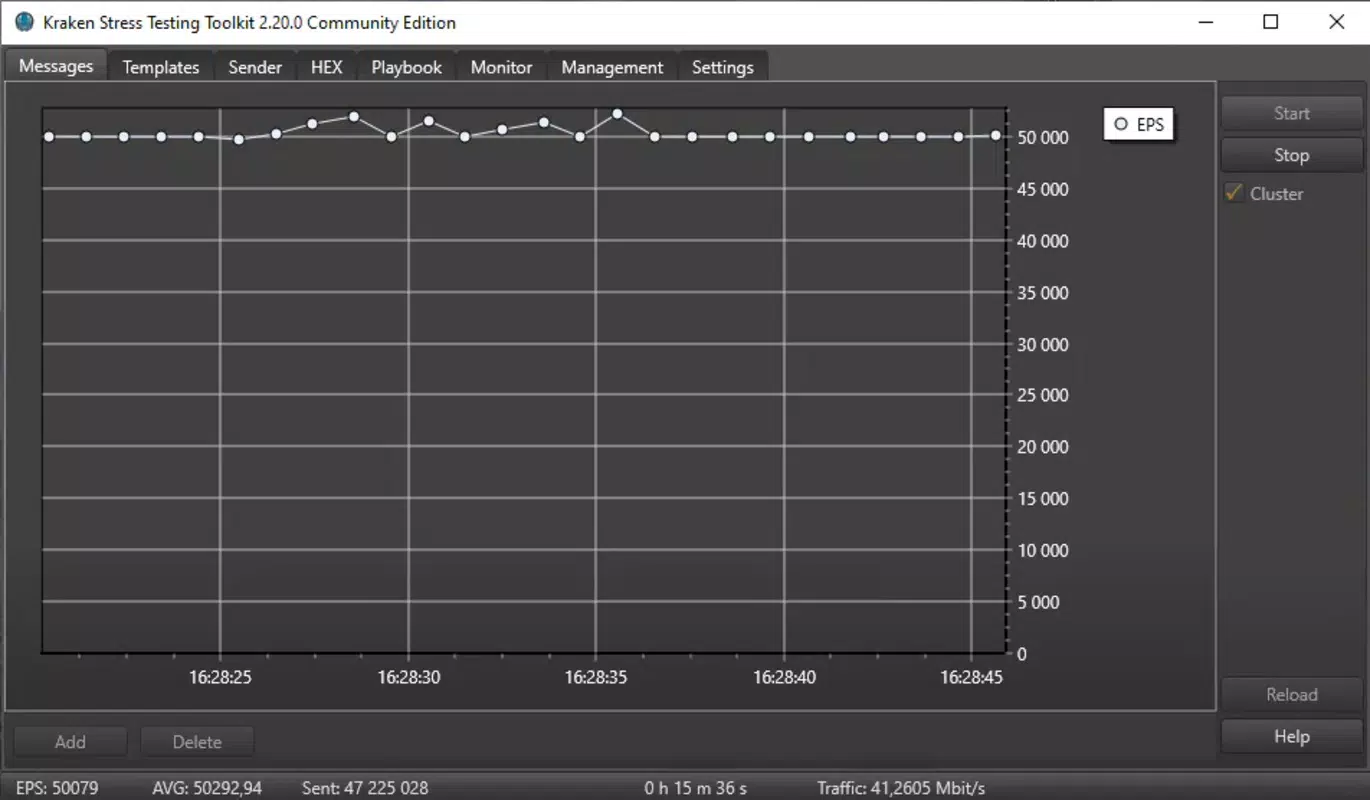
Designed with technical users in mind, Kraken Stress Testing Toolkit delivers a suite of advanced features tailored to the demands of modern security operations. The app enables the generation of realistic event simulations that closely replicate data streams from diverse sources, including network devices, endpoint agents, and cloud services. This capability allows users to stress-test SIEM systems under conditions that mirror actual threat landscapes, ensuring testing accuracy and relevance.
Users can configure and deploy tests across multiple components of a security infrastructure, including SIEM platforms, event collectors, and individual event-handling modules. This flexibility supports granular testing strategies, allowing teams to isolate and evaluate specific subsystems without disrupting broader operations. The app’s modular design facilitates targeted validation, which is essential for identifying performance degradation or configuration flaws in complex environments.
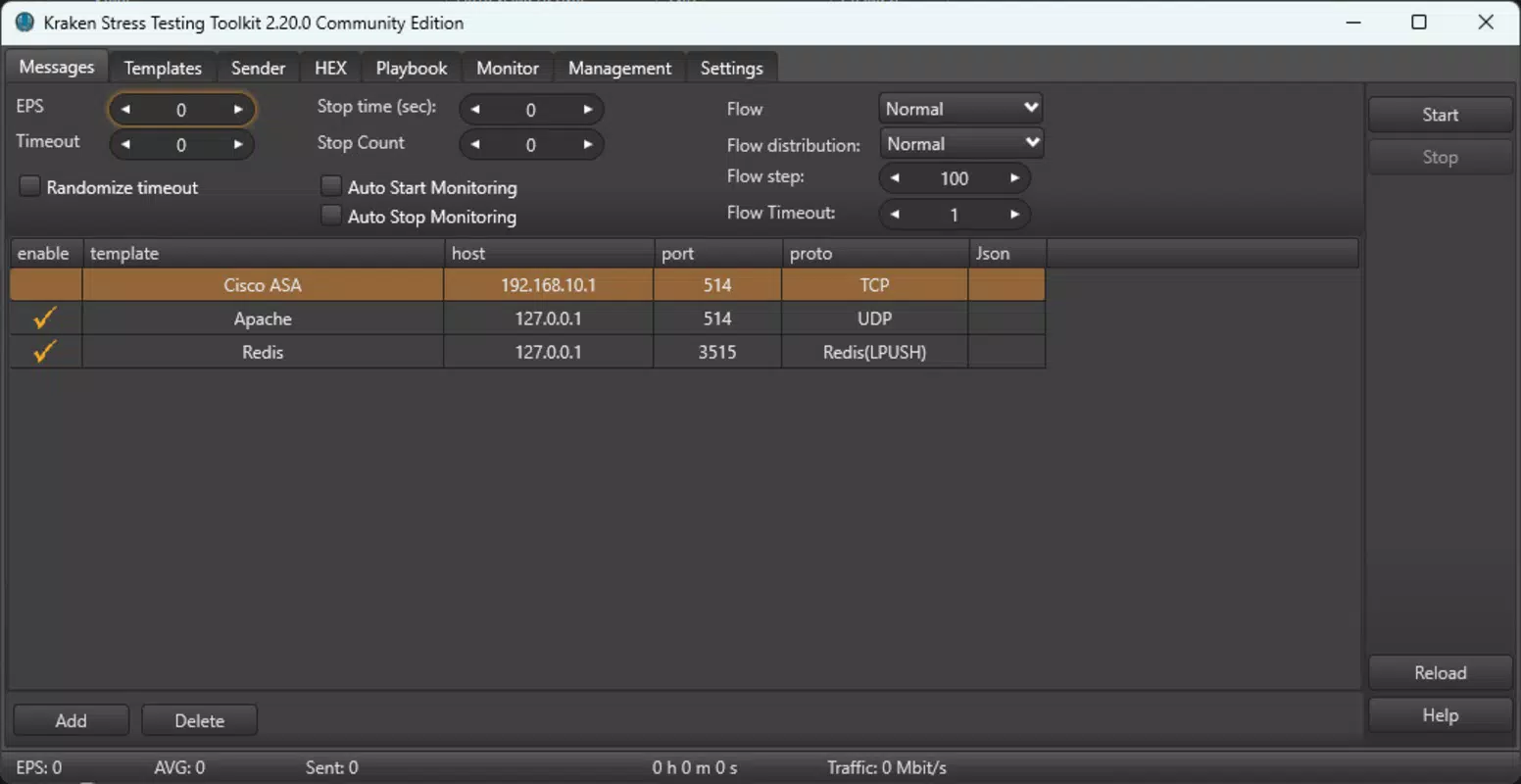
Central to Kraken’s usability is its collection of user-friendly templates, which simplify the creation of test incidents within SIEM environments. These templates are pre-configured to represent common security scenarios, reducing setup time and minimizing human error. They serve as a foundation for both routine testing and custom test development, enhancing productivity for security teams.
Additionally, the toolkit provides comprehensive reporting capabilities that document test outcomes, including throughput, latency, and error rates. These insights support data-driven decision-making, helping teams optimize system configurations and improve overall security posture. The enhanced functionalities in the current version reflect an ongoing commitment to refining the testing process and delivering deeper analytical value.
- Realistic Event Simulation for accurate SIEM performance evaluation
- Flexible testing across SIEM systems, collectors, and modules
- Pre-configured templates for rapid incident creation
- Enhanced functionality for improved testing precision
- Detailed reporting on test metrics and system behavior
Interface, UX & Performance
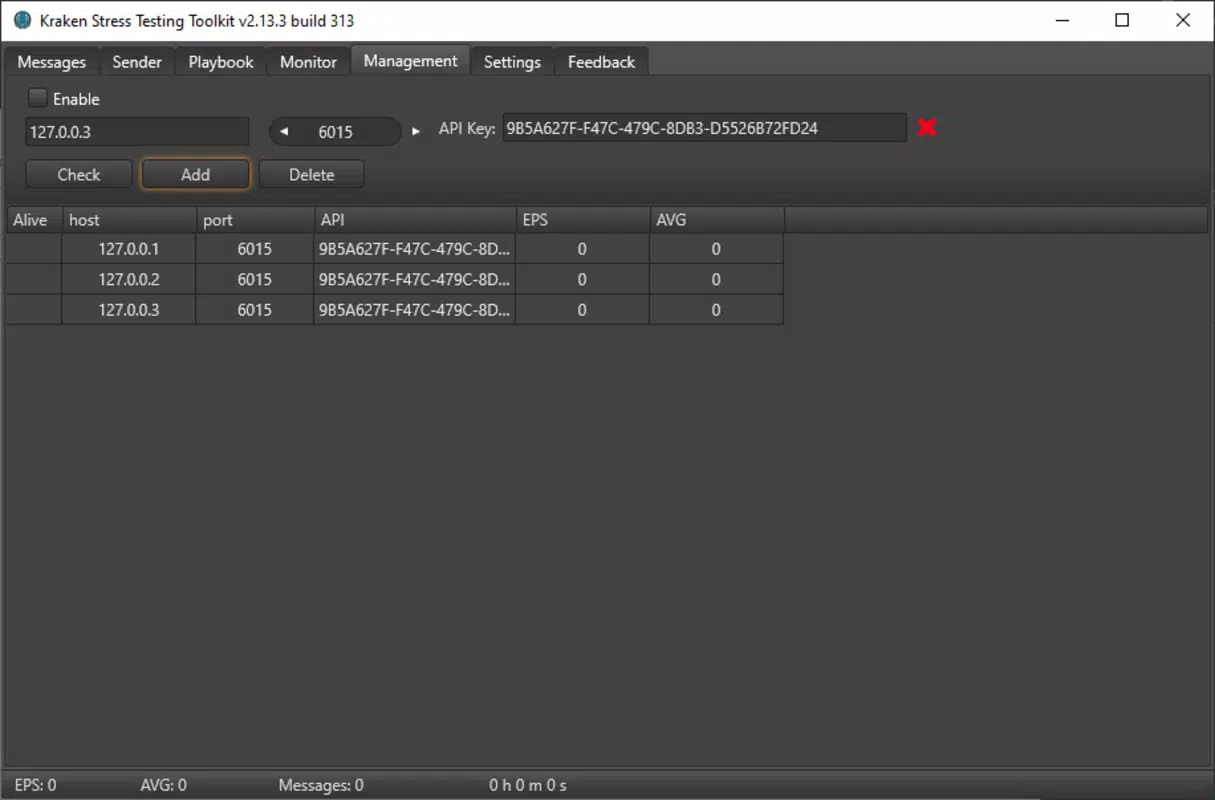
The Kraken Stress Testing Toolkit presents a clean, functional interface optimized for technical users. While the developer did not provide detailed information about the UI layout, the app’s design appears to prioritize efficiency and clarity, aligning with the expectations of experienced cybersecurity professionals. Navigation is structured around core testing workflows, including template selection, test configuration, execution, and report viewing.
Visual style leans toward minimalism, using color-coded indicators and structured data fields to enhance readability. The layout supports quick access to key functions, reducing cognitive load during high-pressure testing scenarios. Although the developer did not specify formal performance metrics, the app’s ability to manage complex event simulations suggests optimized backend processing, particularly for devices capable of handling intensive computational tasks.
Responsiveness is expected to be strong on mid-to-high-end devices, though compatibility with lower-tier hardware was not disclosed. Stability during prolonged testing sessions remains a critical factor, and while no user-reported issues were mentioned, the absence of performance data limits definitive conclusions. The app likely maintains consistent behavior across sessions, given its focus on repeatable and reliable testing outcomes.
Although the developer did not list formal performance metrics, the toolkit’s design implies efficient memory and CPU usage, essential for running extended simulations without system strain. Users are advised to test the app on their target devices to assess responsiveness under real-world conditions.
Platform Compatibility & Technical Requirements
Kraken Stress Testing Toolkit is available on the Android platform, with the current version released on April 2, 2025. The app’s file size is 28.7 MB, indicating a lightweight footprint suitable for most modern smartphones and tablets. This compact size suggests efficient code optimization and minimal resource consumption during operation.
Specific requirements for minimum OS version or device specifications were not listed. The developer did not specify compatibility details beyond the platform, leaving users to determine suitability based on their device capabilities. While the app may function on devices with standard Android configurations, users should verify that their system meets the necessary prerequisites for running security-critical tools.
Given the app’s technical nature, it is likely optimized for devices with sufficient processing power and RAM to support event simulation and data handling. However, without official requirements, users are encouraged to test the app on their devices to ensure stable performance.
Pros and Cons
- Specialized tool for accurate SIEM and event collector stress testing
- Realistic event simulation enhances test validity
- Flexible testing scope across multiple security components
- User-friendly templates reduce setup complexity
- Comprehensive reporting supports performance analysis
- Lightweight file size (28.7 MB) for efficient installation
- Compatibility with specific Android versions not disclosed
- Developer did not provide performance benchmarks
- No information on permissions or data handling practices
- Targeted exclusively at technical users; not suitable for general audiences
- App size and features suggest limited functionality on low-end devices
FAQ
Is Kraken Stress Testing Toolkit available for iOS?
As of the latest release, the app is only available on the Android platform. There is no public information indicating iOS compatibility at this time.
Can I use Kraken to test non-SIEM systems?
Yes, the toolkit supports testing of various components beyond SIEM platforms, including event collectors and individual modules within event-handling systems.
Is the app free to download and use?
The app’s pricing information was not provided in the available documentation. Users should check the official distribution channel for current pricing and licensing details.
How often is the app updated?
The latest version was released on April 2, 2025. The update frequency is not specified, but the inclusion of enhanced functionalities suggests ongoing development.
Is Kraken secure to use on enterprise networks?
While the app is designed for internal security testing, users should ensure that its deployment complies with organizational security policies. Specific security practices or data encryption methods were not disclosed.
Final Thoughts
Kraken Stress Testing Toolkit stands out as a focused, high-value utility for cybersecurity professionals responsible for maintaining the integrity and performance of SIEM infrastructures. Its ability to simulate realistic event loads, combined with flexible testing options and detailed reporting, makes it a powerful ally in proactive security validation. The inclusion of user-friendly templates significantly lowers the barrier to entry for complex testing scenarios, while the lightweight design ensures easy deployment across mobile devices.
While the app’s technical nature limits its appeal to general users, it delivers exceptional value to security engineers, analysts, and IT teams working in regulated or high-risk environments. The absence of detailed compatibility and performance data is a minor limitation, but the app’s core functionality remains robust and purpose-built.
For organizations seeking to strengthen their security posture through rigorous, mobile-accessible testing, Kraken offers a compelling solution. Download Kraken Stress Testing Toolkit now to enhance your SIEM validation process.


